Settings administration
The rights to the main back-office features assigned to the botmaster according to their level (N or N-1) are summarised in the section Setting up OUs > Botmaster rights according to level.
This section only details the settings accessible to the botmaster according to their level.
Settings accessible at Parent level
In a chatbot platform structured by OUs, since the chatbot features are identical across all OUs, all bot skill settings (scenario definitions, bot message texts and parameter values) as well as design settings (background and text colours of conversation window elements) are reserved for the level N botmaster (Parent OU).
The level N botmaster has access to the settings functions below, presented in the current menu order:
| Setting | Common to all OUs | If setting managed per OU, can level N modify it |
|---|---|---|
| Knowledge > Dictionaries | Yes | |
| Design > K2 Theme | Yes | |
| Chatbot > Welcome Chatbot > Satisfaction Chatbot > Conversation Chatbot > Misunderstanding Chatbot > Settings > Smart FAQ Chatbot > Settings > Opening hours | Yes Yes except frequency per OU (1) Yes No, managed per OU (2) Yes Yes | Yes on measurement frequency Yes |
| History > Settings > Filters | Yes | |
| Security > Organisational Units Security > Users Security > Roles | Yes Yes Yes | Yes |
| Configuration > Settings > General Configuration > Settings > Smart FAQ | Yes Yes |
If Workflows are covered by your contract:
| Setting | Common to all OUs | If setting managed per OU, can level N modify it |
|---|---|---|
| Configuration > Settings > Workflows > Email frequency > Email templates | Yes Yes |
(1) Chatbot > Satisfaction > Parent OU view All settings are common to all OUs EXCEPT the satisfaction measurement frequency which is customisable per OU. The level N botmaster can intervene on an OU if needed to modify this frequency:

Refer to the section Frequency definition in the Satisfaction section for the table details.
(2) Chatbot > Misunderstanding > Parent OU view Each OU, regardless of its level, can personalise the bot's misunderstanding message. However, the opening hours that can be associated with a status to vary this misunderstanding message according to the company's opening and closing hours are common to all OUs and will therefore only be modifiable by the level N botmaster. Be aware of this constraint if you wish to manage both opening hours and OUs.
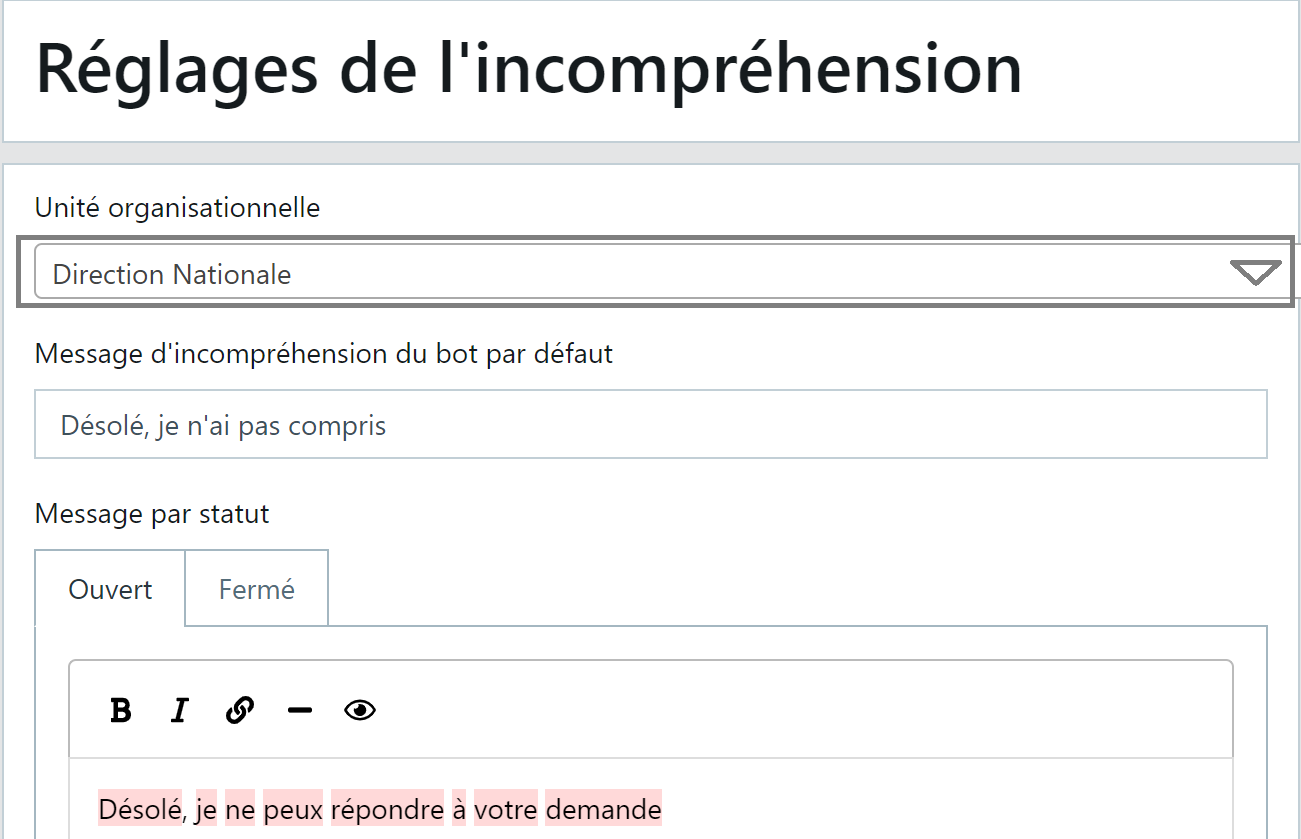
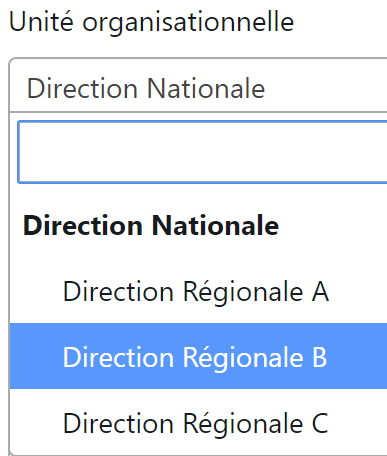
The "Chatbot > Misunderstanding" function displays by default the organisational unit linked to the connected botmaster. Continuing with our example architecture:
- The National botmaster sees the "National Directorate" OU in the "Organisational unit" area:
- They can however select one of the child OUs from the list:
Settings accessible at Child level
The level N-1 botmaster (child OU) is limited to the settings below. Some screens are accessible to them but no modifications are possible.
| Setting | View | Modification possible |
|---|---|---|
| Knowledge > Dictionaries | Yes | No |
| Chatbot > Satisfaction | Yes | Only on measurement frequency (3) |
| Chatbot > Conversation | Yes | No |
| Chatbot > Misunderstanding | Yes | Yes but on their OU only (4) |
| Security > Organisational Units | Yes | No |
| Security > Users | Yes | Yes |
(3) Chatbot > Satisfaction > Child OU view All satisfaction settings are locked for the Child OU (greyed out text areas, non-clickable checkboxes). Example below:
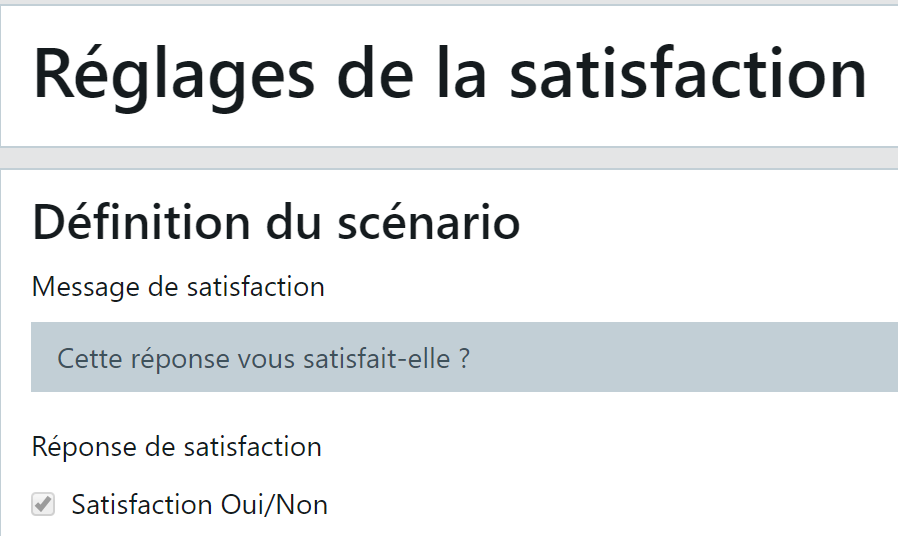
Only the panel below is accessible to the child OU to choose their desired frequency:

Refer to the section Frequency definition in the Satisfaction section for the table details.
(4) Chatbot > Misunderstanding > Child OU view The "Organisational unit" area is filled by default with the level N-1 botmaster's OU and is locked. The child OU cannot modify the text for another OU.