Bot training and responses
Bot training in a structure with OUs
When a hierarchical OU structure has just been set up, each OU (parent or child) inherits the same knowledge base — the one resulting from the Smart FAQ and common dictionaries training run by the level N botmaster.
If a level N-1 (child) OU botmaster makes changes to the common Smart FAQ, they must perform a training run to generate the new reference base for their OU.
Descriptive diagram:
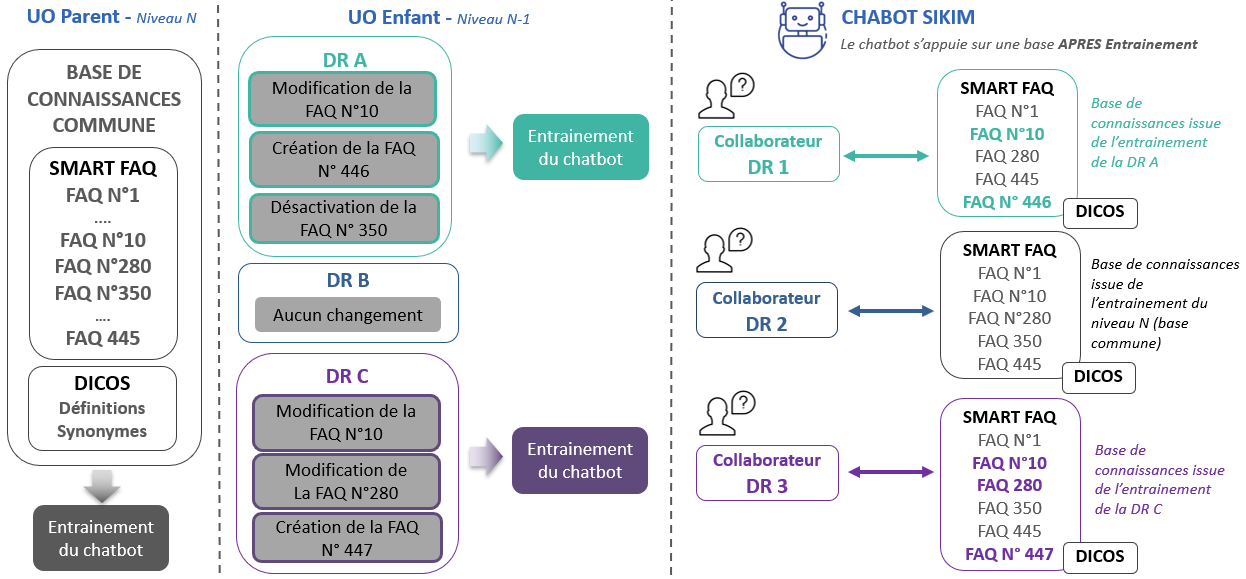
When a user connects, the chatbot queries by default the knowledge base of their OU.
Querying another OU's knowledge base
DAVI has given users the ability, regardless of their OU, to query another OU's knowledge base. One could imagine a scenario in which a support unit assists another unit during peak call volumes, for example.
To do this, the user must cite the target OU in their question, either by its full name or by one of the synonyms entered by the level N botmaster when creating the OU. Refer to the section Defining synonyms for the OU name
Note: the user must specify the target OU with each question asked; otherwise the chatbot redirects to the reference base of their own OU.
When the user queries another OU's base, the bot's chat bubbles change colour. Refer to the next section to customise this secondary colour.
Defining the secondary colour of bot bubbles
The secondary colour for the background and text of bot bubbles when targeting another OU is customisable in the "Design > K2 Theme" function at the "Bot" panel:
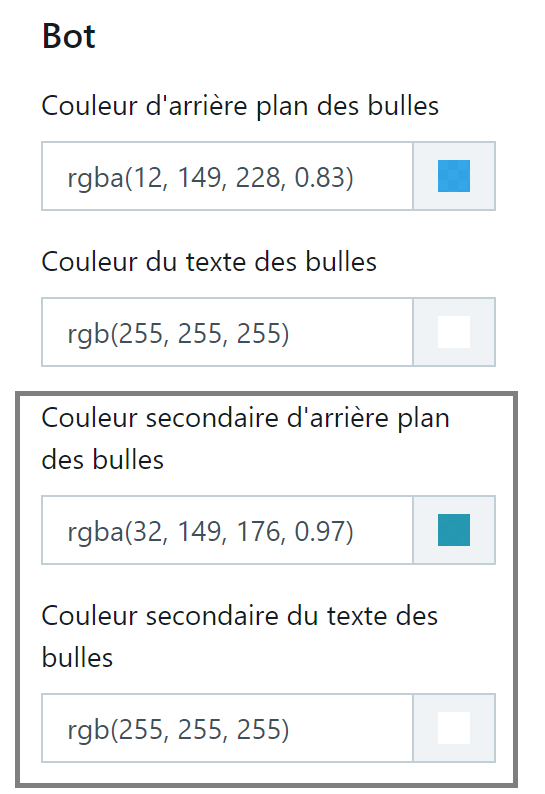
This function is reserved for the level N botmaster and the secondary colour is the same for all OUs.
Defining synonyms for the OU name
An OU is identifiable by its full name in the filters accessible across the various back-office pages.
The synonyms associated with this full name to facilitate input for users who wish to query a third-party base are only used within the chatbot.
To define synonyms for an OU, go to the "Security > Organisational units" function, then:
-
Select an OU in the structure and click the Edit button, or click the "Add a child organisational unit" button after selecting the highest-level OU,
-
In the OU record, enter one or more synonyms
- Press Enter to confirm each synonym
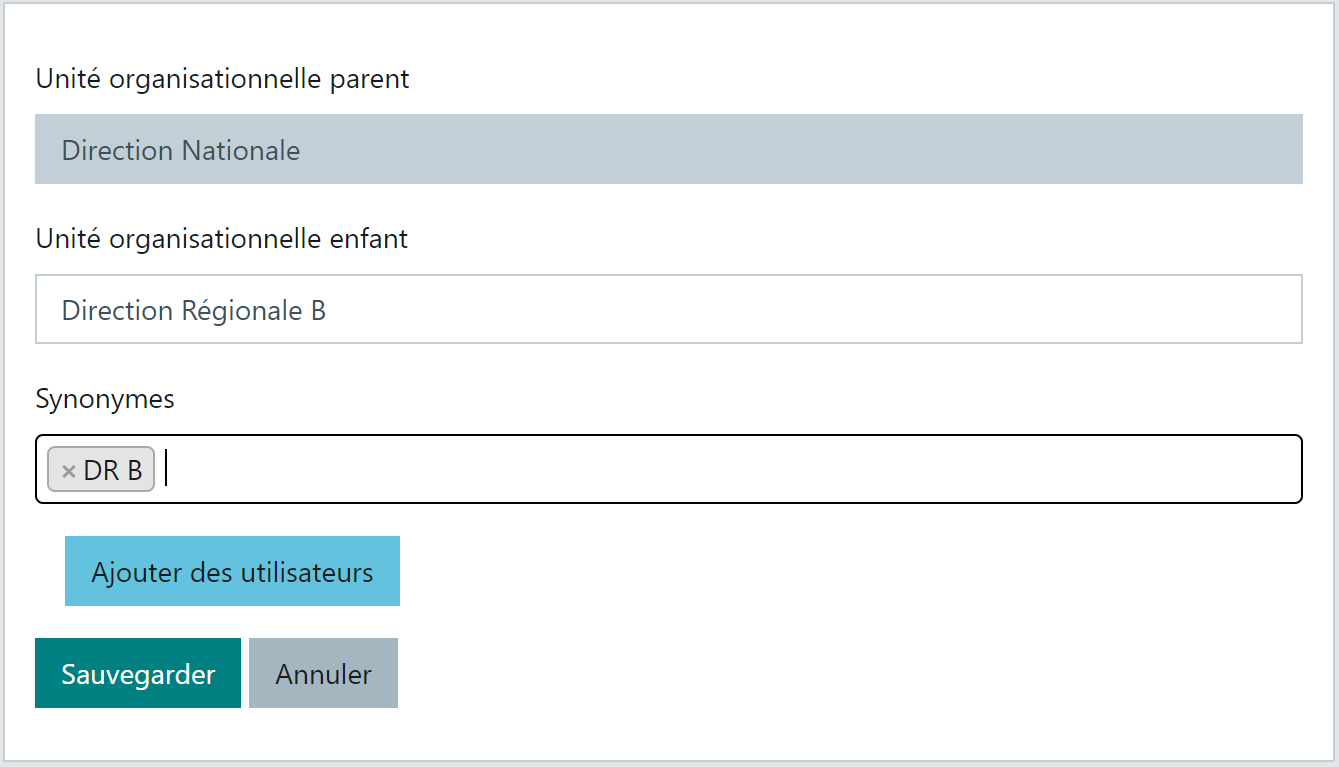
In the hierarchical structure, synonyms are displayed in the lower area of the OU box:
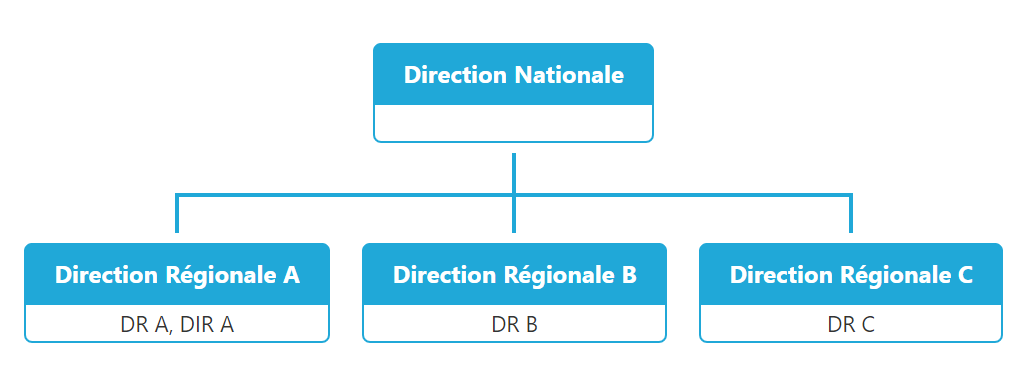
This function is reserved for the level N botmaster.