Smart FAQ specifics
Once OUs are in place, the "Knowledge > Smart FAQ" function is enriched with features specific to OUs. Each level of the hierarchical structure has its own specifics.
These are detailed below.
Administering the Smart FAQ at Child level
Smart FAQ colour code
A colour code has been put in place to allow a level N-1 OU botmaster (Child OU) to visually distinguish:
- A common Smart FAQ, standard "teal" colour:
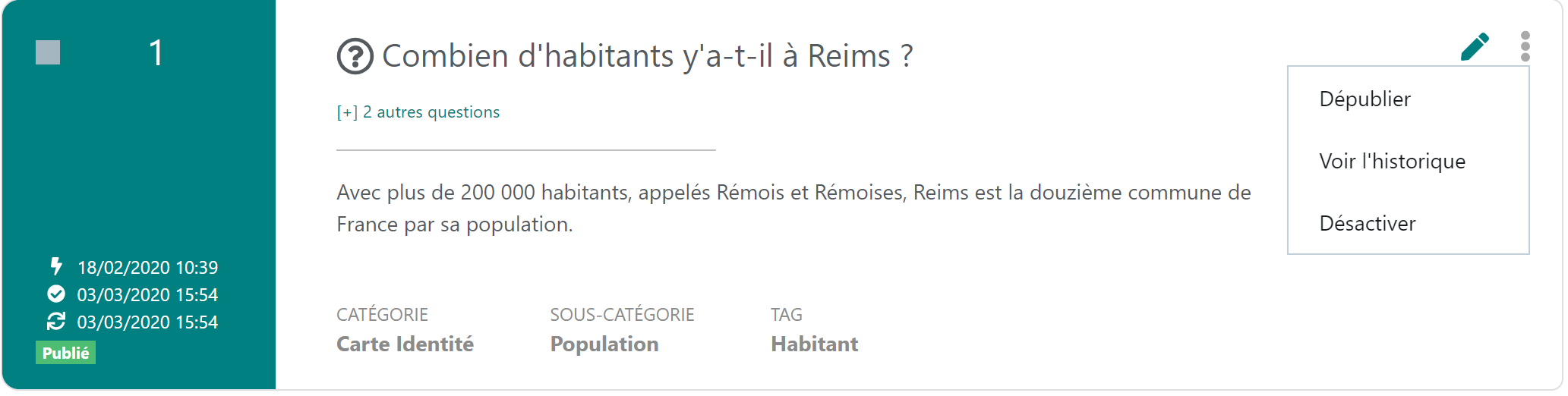
This cannot be deleted by a child OU, as shown by the contextual menu to the right of the FAQ.
It can only be edited or disabled.
- A specific Smart FAQ, "blue" colour:
It originates from:
- either a modification of a common Smart FAQ. The only information modifiable by the child OU is: the answer, the URL link, linked files and animation. Other non-modifiable information is greyed out (questions and themes).
- or a creation of a new Smart FAQ. All Smart FAQ information is accessible to the child OU:
- either a modification of a common Smart FAQ. The only information modifiable by the child OU is: the answer, the URL link, linked files and animation. Other non-modifiable information is greyed out (questions and themes).
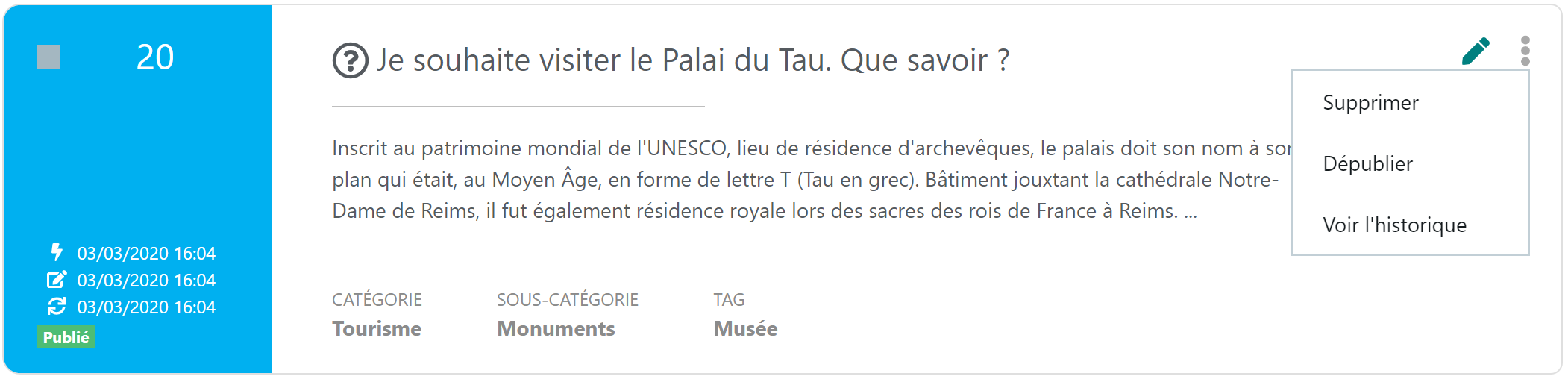
This can be deleted by the child OU as shown by the contextual menu to the right of the FAQ.
- A disabled Smart FAQ, "orange" colour The child OU can disable it if it deems it inapplicable to its OU:
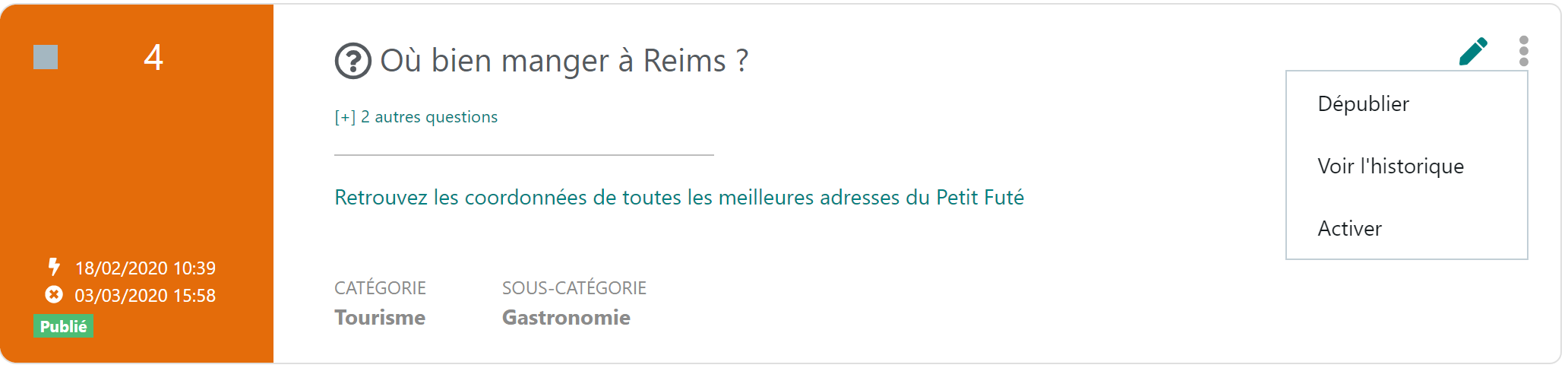
This can be reactivated at any time by the child OU by clicking "Enable" in the contextual menu to the right of the FAQ.
Filtering my OU's actions
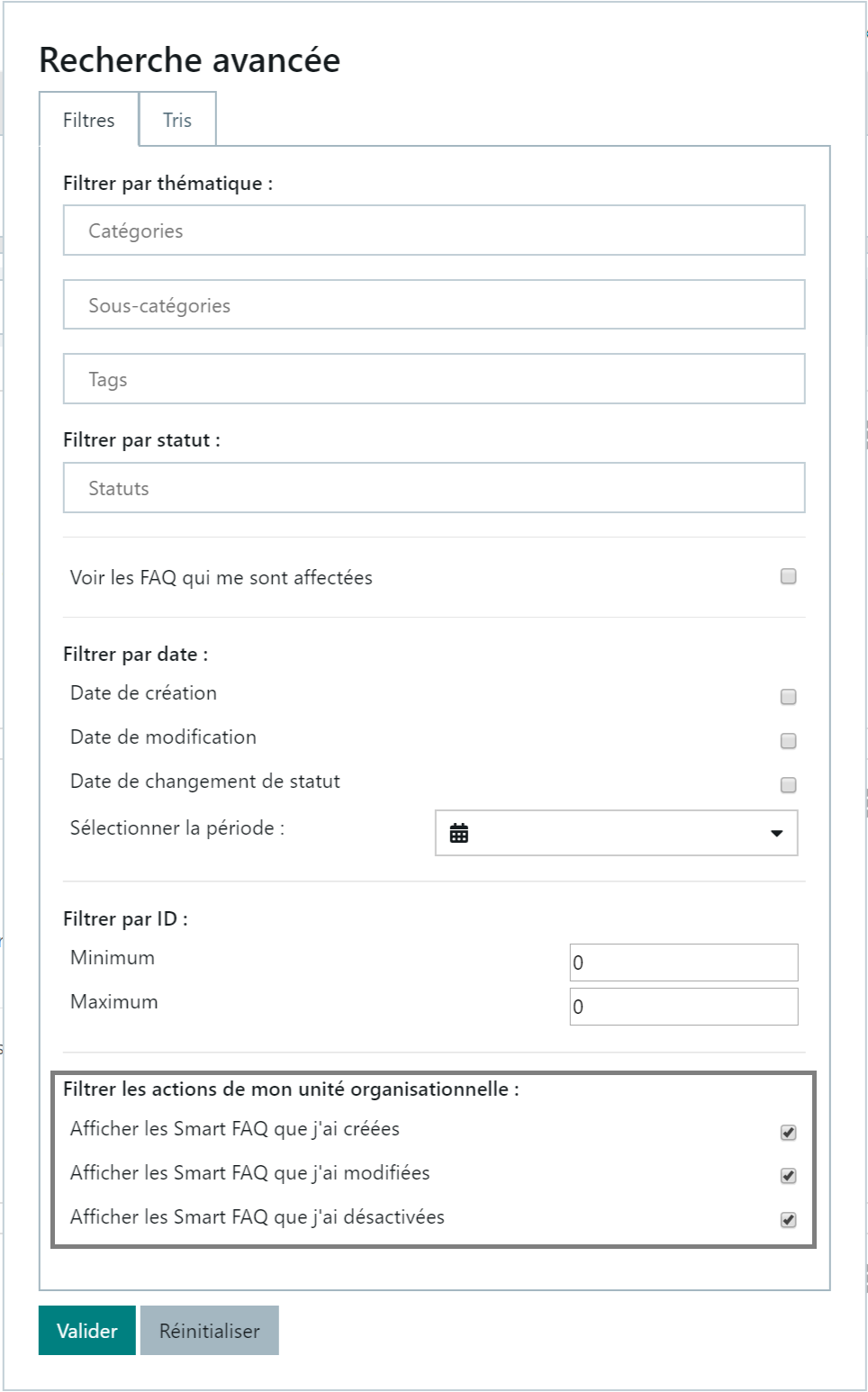
A child OU botmaster sees their advanced search (click on the arrow to the right of the Search button) enriched with an additional frame entitled "Filter my organisational unit's actions". These filters allow them to limit the display to FAQs on which they have acted (addition, modification or disabling).
See the frame below:
Viewing a common FAQ modified by other child OUs
A level N-1 OU botmaster can view common Smart FAQs that have been personalised by other OUs at the same level.
A "Other units have modified this answer" link is visible to the right of the Smart FAQ:

This link leads to a summary table:
- The original Smart FAQ, created by level N, remains visible
- bold row in the standard colour code (teal)
- bold row in the standard colour code (teal)
- The other rows correspond to modifications made to the answer and its supplements (URL, linked files, animation) by level N-1 OUs
- rows in "specific FAQ" colour code (blue).
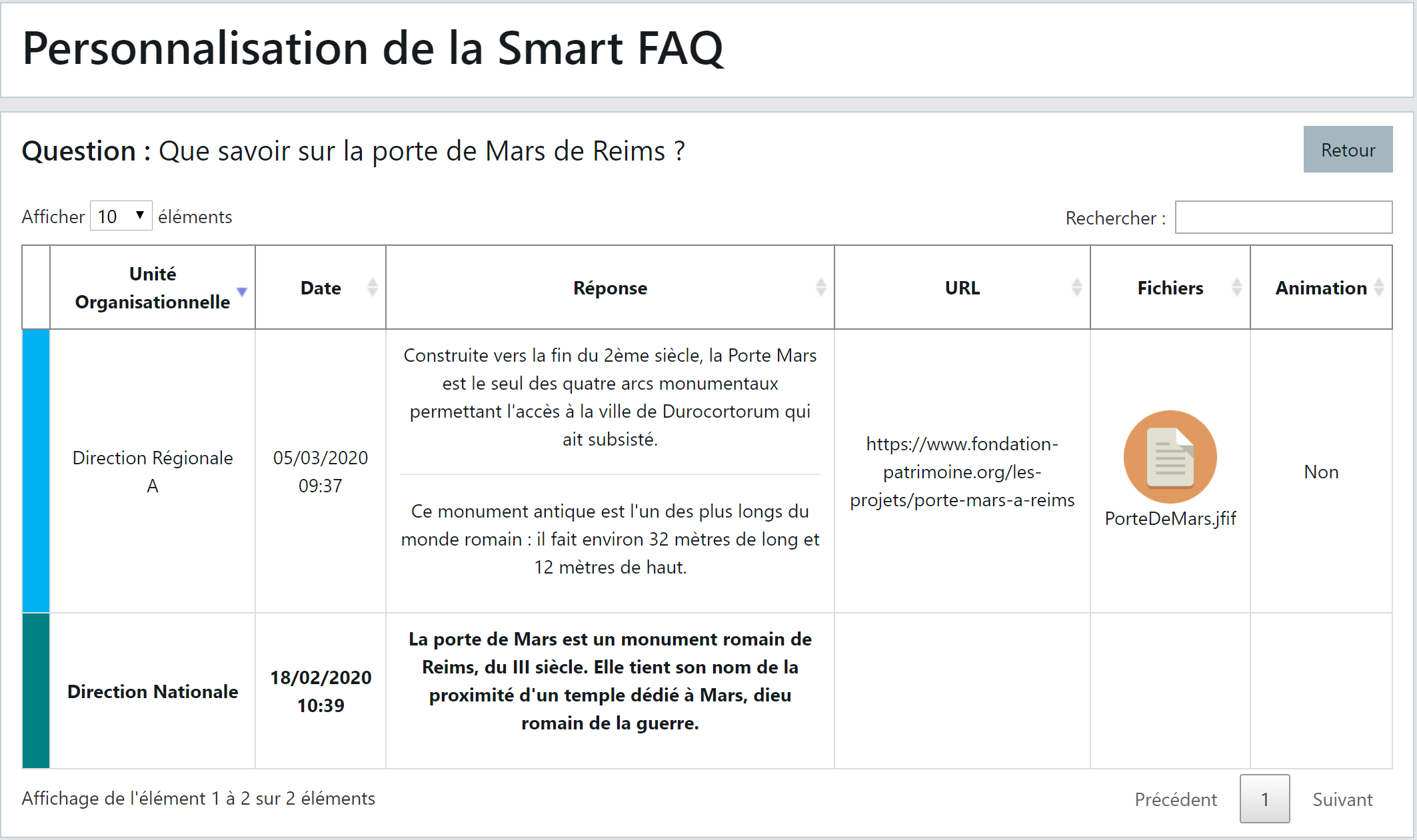
Reviewing the current elements of a modified common Smart FAQ
A child OU botmaster has the ability, on a common Smart FAQ they have personalised, to review the common elements of that Smart FAQ.
A "View current answer" link is visible on the page when they enter edit mode on that FAQ:
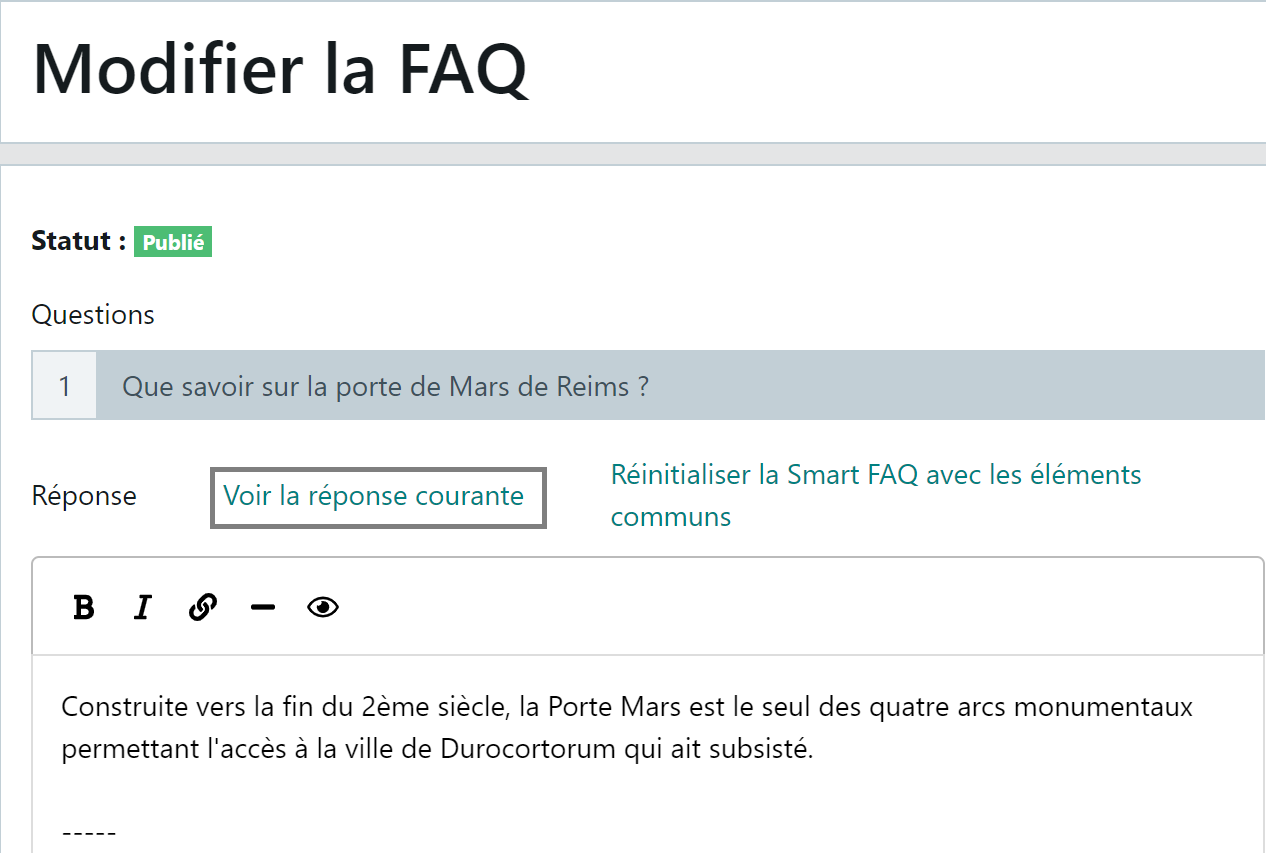
This link displays the common elements of this Smart FAQ as seen by other OUs: OUs that have not modified it
- All fields are locked and greyed out
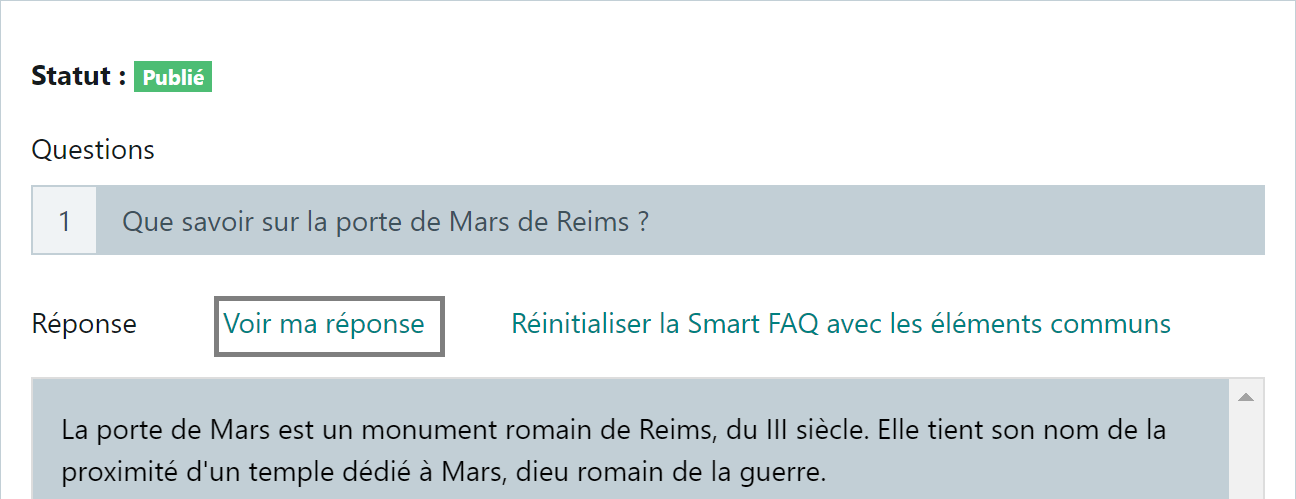
- The "View current answer" link switches to "View my answer" and allows them to return to their personalisation
Resetting the modified FAQ to common elements
A child OU botmaster has the ability, on a common Smart FAQ they have personalised, to delete their modifications and thus revert to the common elements of that FAQ.
A "Reset Smart FAQ to common elements" link is visible on the page when they enter edit mode on that FAQ:
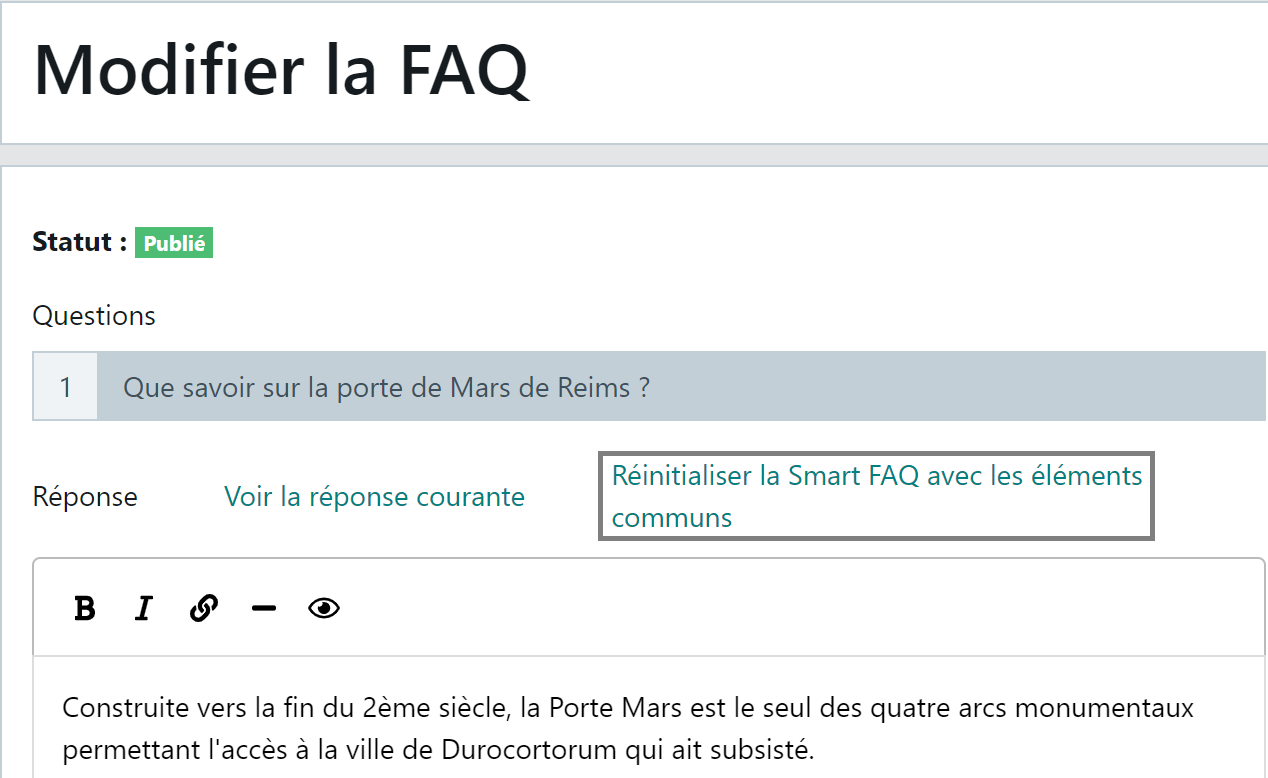
After confirmation of the reset, the personalised FAQ (blue colour) becomes common again in the FAQ list, under the standard "teal" colour code.
Administering the Smart FAQ at Parent level
Toolbar
The tools accessible in the Smart FAQ to the level N botmaster are equivalent to those of a botmaster operating in an environment without OUs:
- The first row of the toolbar remains unchanged,
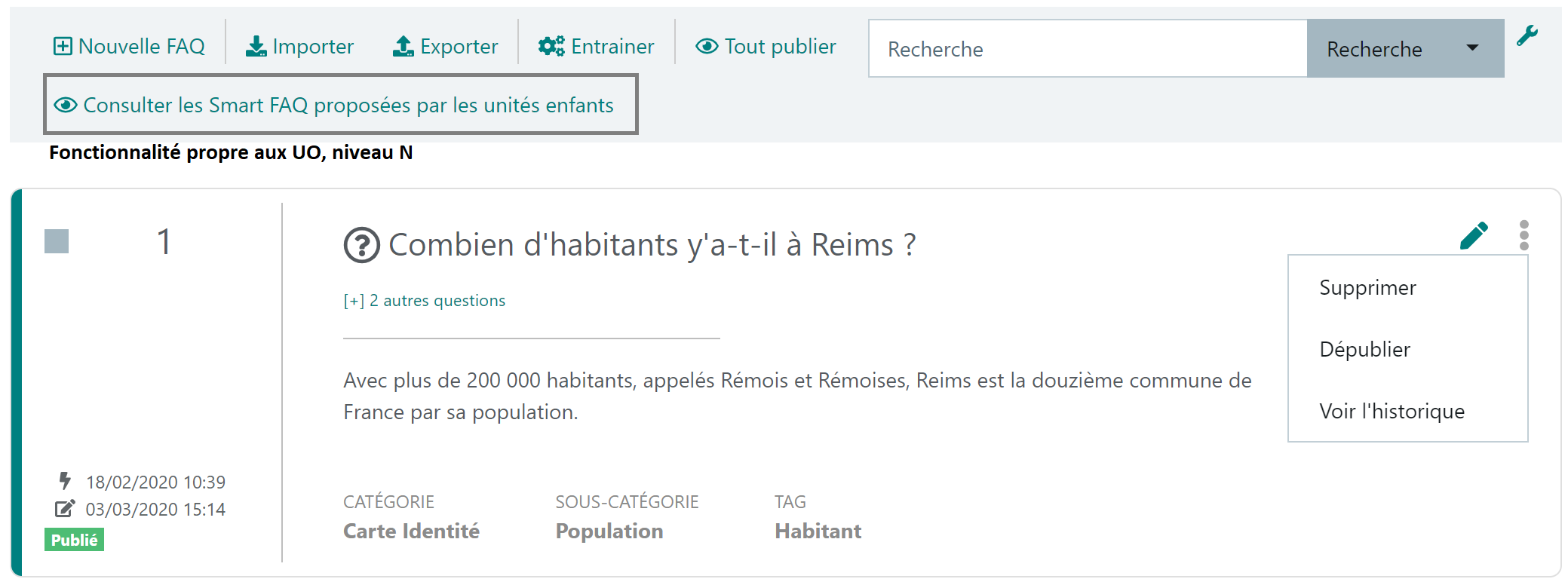
- A second row now appears with a new feature
"View Smart FAQs proposed by child units":
- The level N botmaster has a summary of FAQs created specifically by each level N-1 botmaster. They can thus propose to other OUs the FAQs that seem relevant and applicable to all units.
- The contextual menu functions, to the right of each FAQ, remain the same.
Viewing common FAQs modified by child OUs
The level N OU botmaster can also view common Smart FAQs personalised by level N-1 OUs.
Refer to the chapter of the same name in the sub-section Managing the Smart FAQ at Child Level
Moving specific FAQs to the common base
The level N botmaster can regularly analyse the specific Smart FAQs created by level N-1 OUs and enrich the common base with those deemed relevant and useful for all OUs.
Access to specific FAQs is via the "View Smart FAQs proposed by child units" button accessible on the second row of the toolbar at the top of the Smart FAQ page.
This button leads to a summary table that specifies for each specific FAQ:
- the OU that authored the new FAQ
- the creation date and time
- all FAQ information
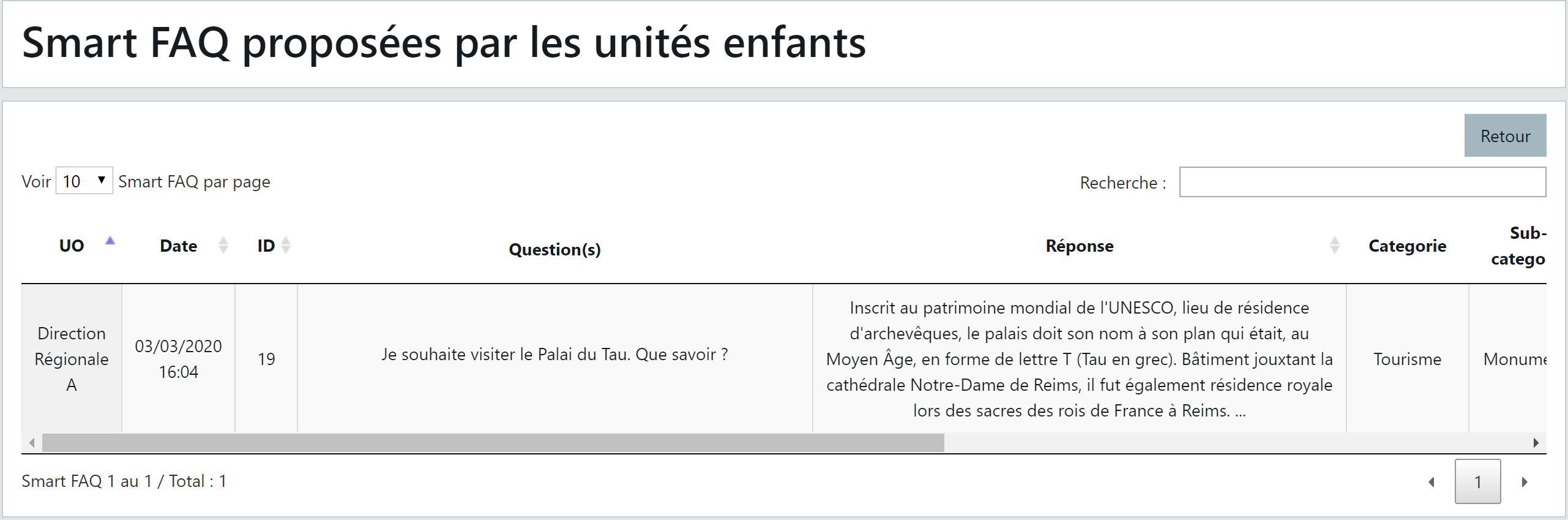
At the far right of the row (use the horizontal scroll bar), an "Add to common base" button allows you to make this FAQ common and thus available to other OUs:
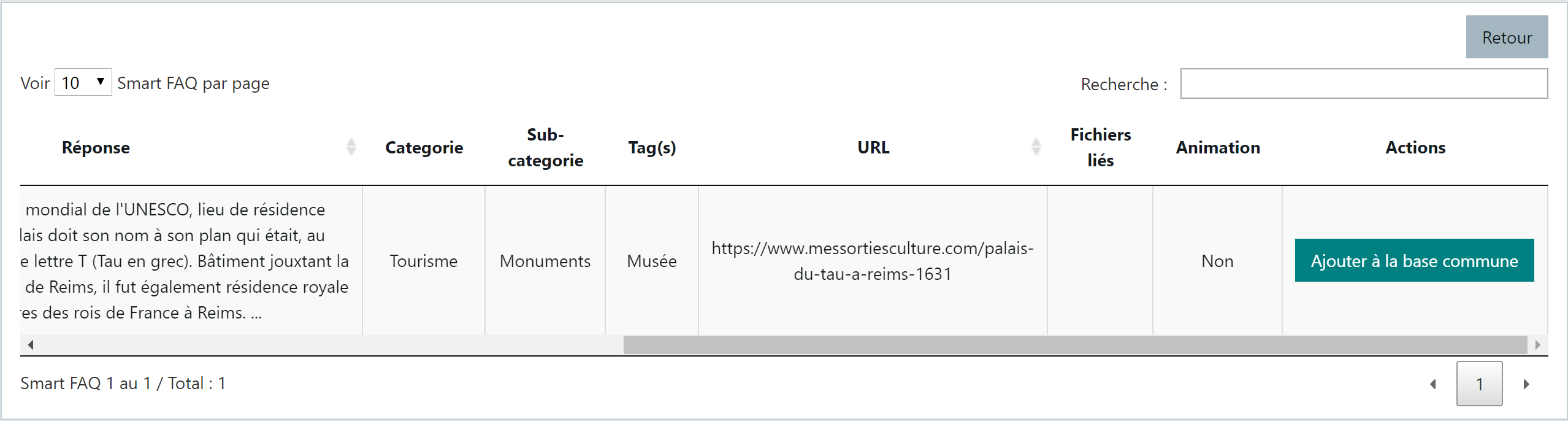
NOTE The Child OU, author of this specific FAQ, retains their specific information. The Parent OU may wish to re-edit this FAQ after moving it to the common base to make it more standard for all units.