Conversation purging
The GDPR module offers conversation purging in 2 modes:
-
Periodic purging: deletes all conversations older than x days, according to a frequency defined in the back-office (daily or weekly, for example).
-
On-demand purging: deletes all conversations of a user who requests it, either via the digital assistant (cf Section 3 of the module) or through another channel (email to the DPO for example).
Periodic purging
It is configured via the "GDPR > Settings > Periodic purging" function:
- Activate conversation purging by ticking the checkbox at the top of the page
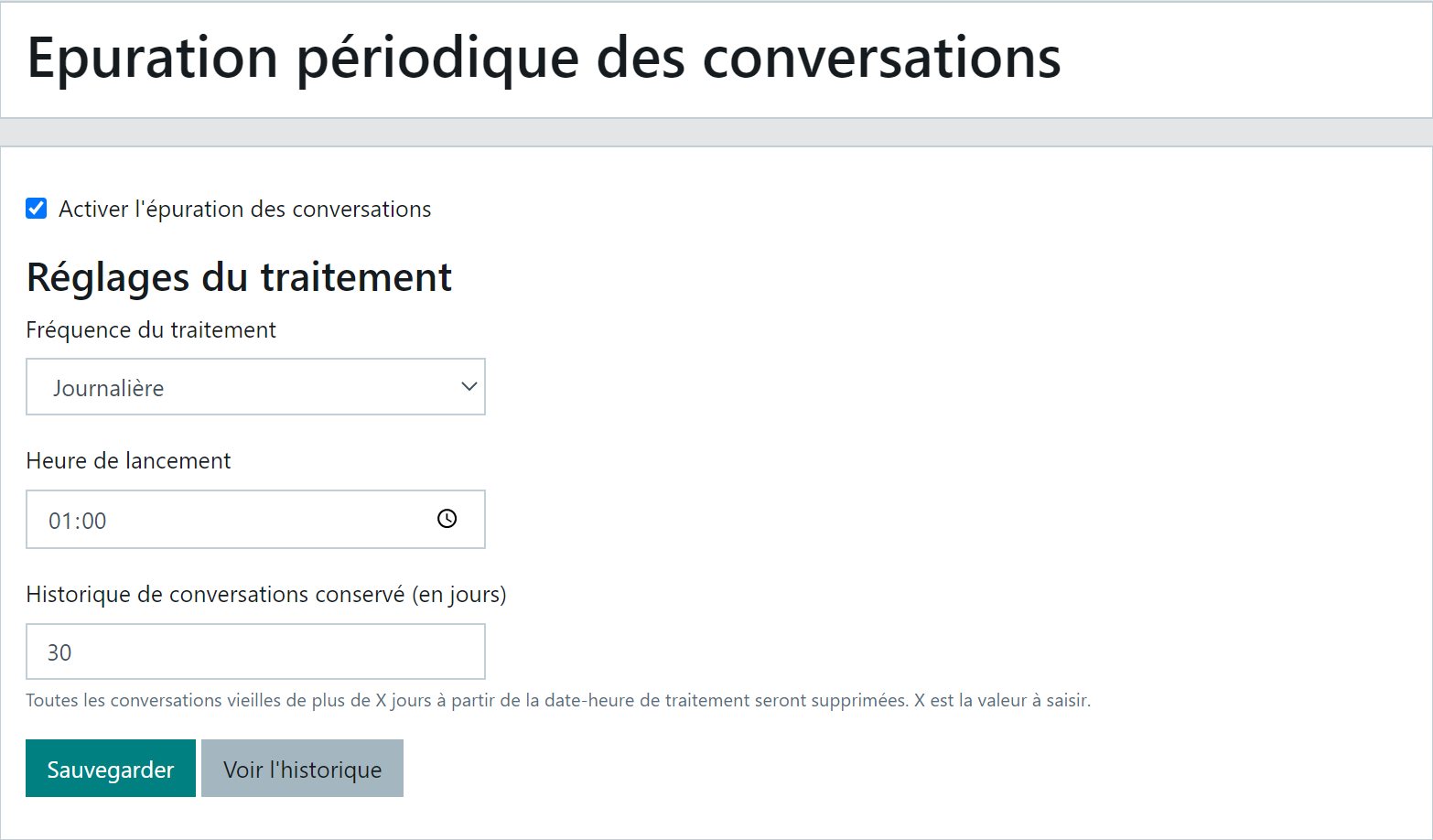
- Select the processing frequency
- Define a processing time
- Indicate the number of days you wish to retain in the conversation history
- Save the settings
- Given the critical nature of the function, all changes made to periodic purging settings are archived and viewable via the "View history" button:
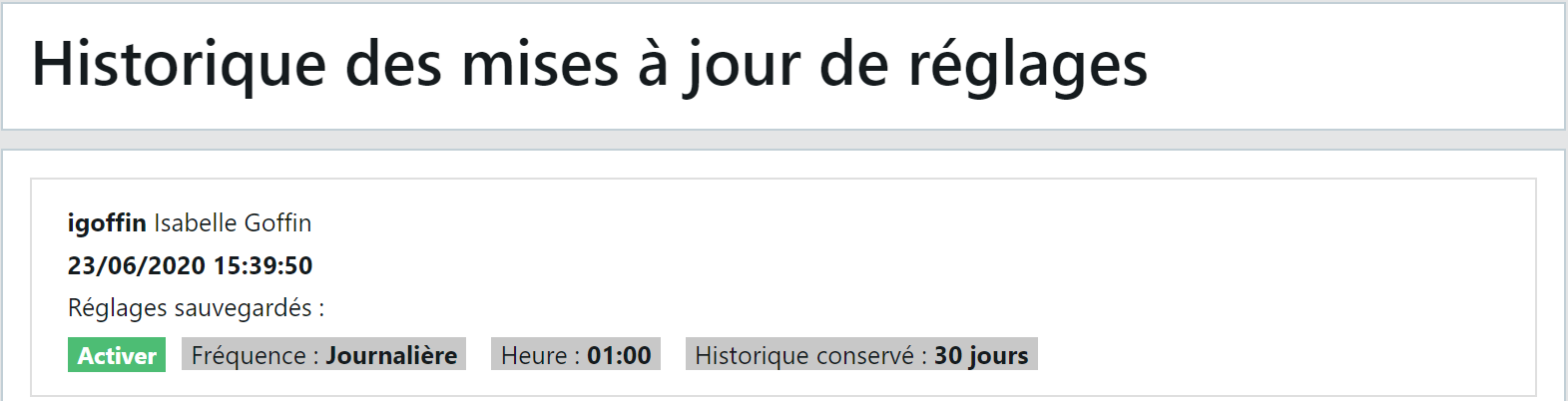
- After each execution, the end date of the last processing will be updated on this page.
Purging a user's conversations
To respond to a data deletion request made by a user, the "GDPR > Deletion of a user's conversations" function is available in the back-office and can be made accessible to your DPO or any other person responsible for GDPR in your organisation.
Attention! This deletion is only possible if the user is referenced by an identifier:
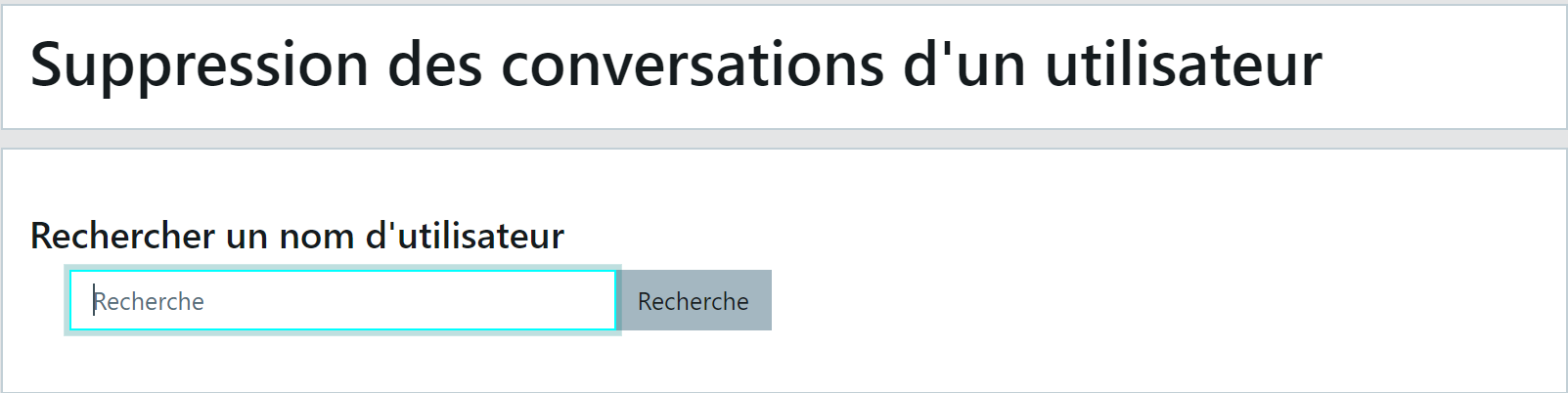
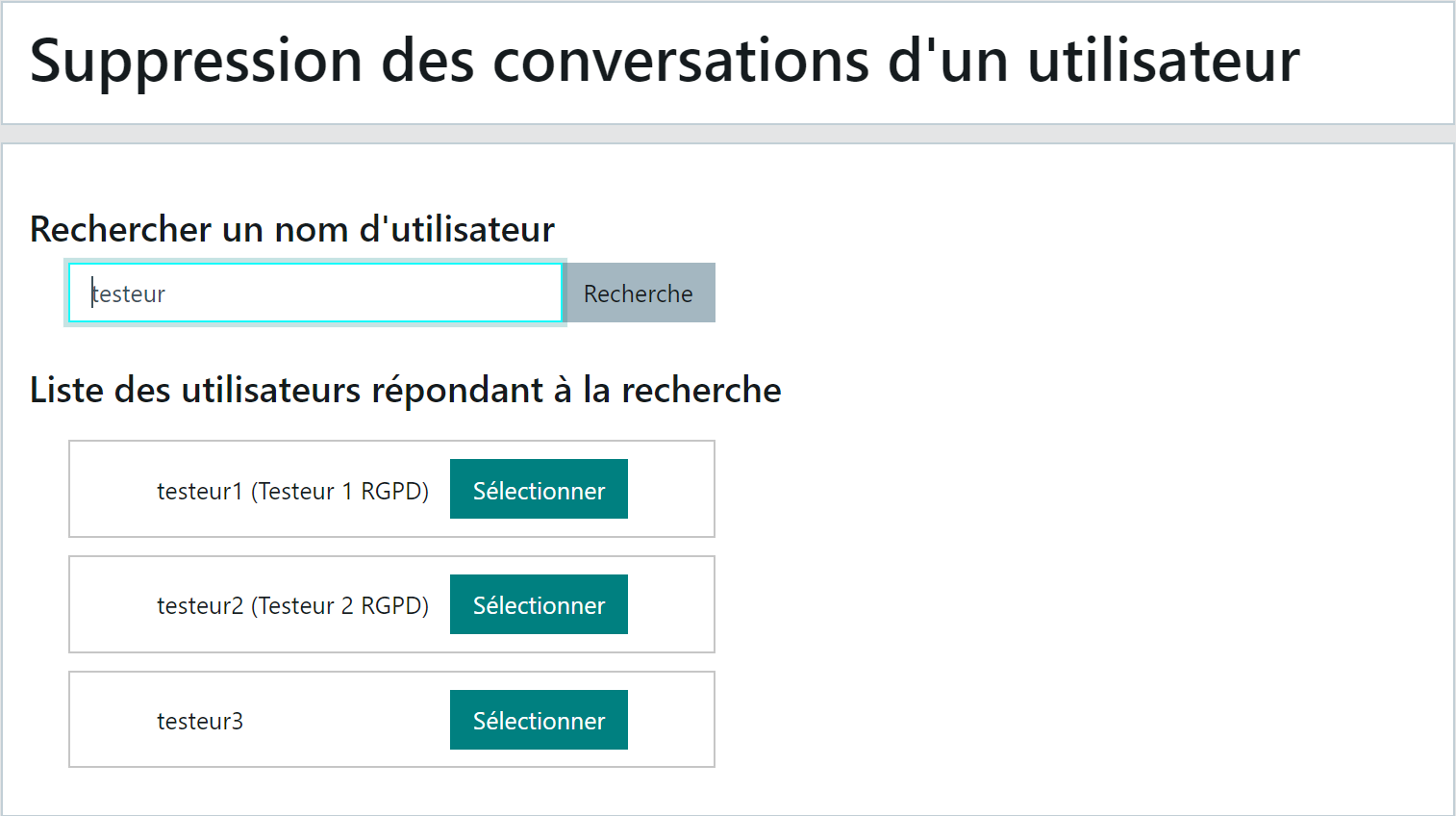
- Search for the user by their identifier or name
- Select the relevant user from the results list
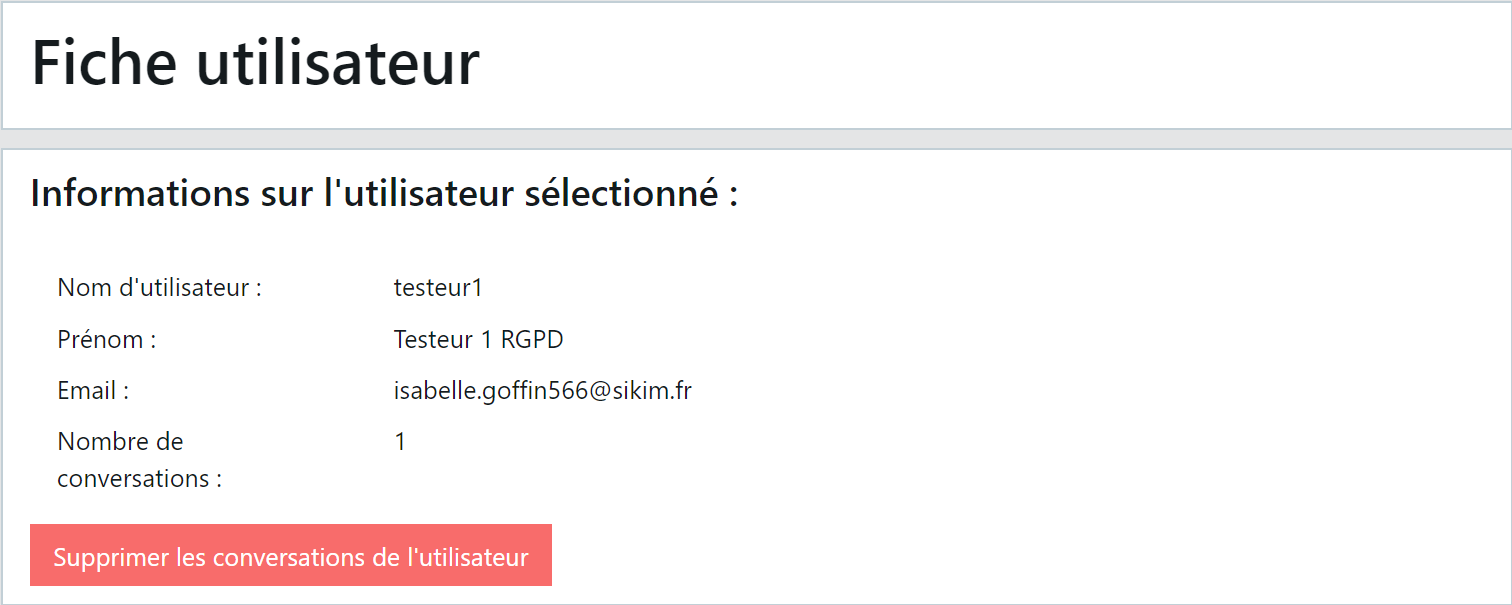
- The user's full details are displayed, along with the number of conversations that will be deleted:
-
Confirm the deletion by clicking the red button.
-
This user's conversations are no longer available in the "History > Conversations" function.