Managing user requests
At any point in a conversation, a user can request the extraction or deletion of their conversations.
This section is of course only applicable when the user can be authenticated by a specific identifier. In the context of a "public" digital assistant without user authentication, conversations cannot be identified.
User request made via the digital assistant
Extract my data
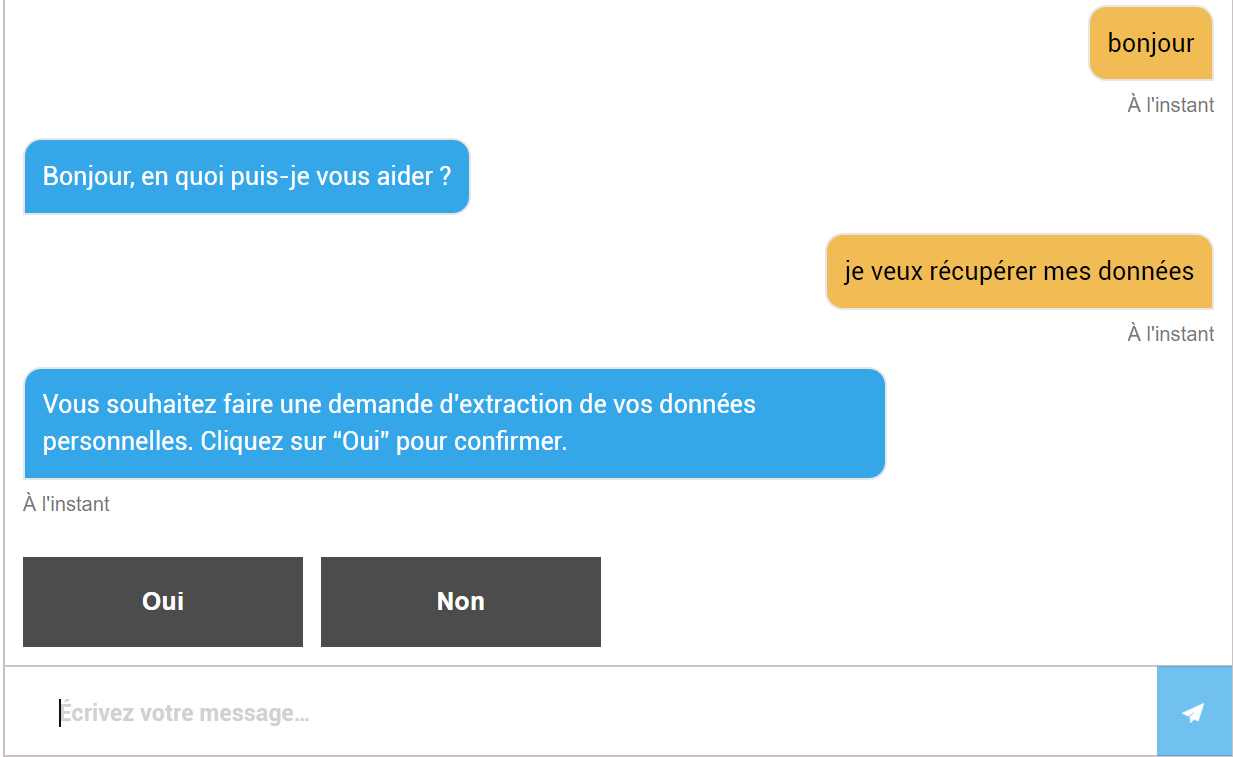
At any point in a conversation, a user can request the extraction of their personal data via a message such as "I want to retrieve my data".
The following scenario takes place:
- The digital assistant asks the user for confirmation:
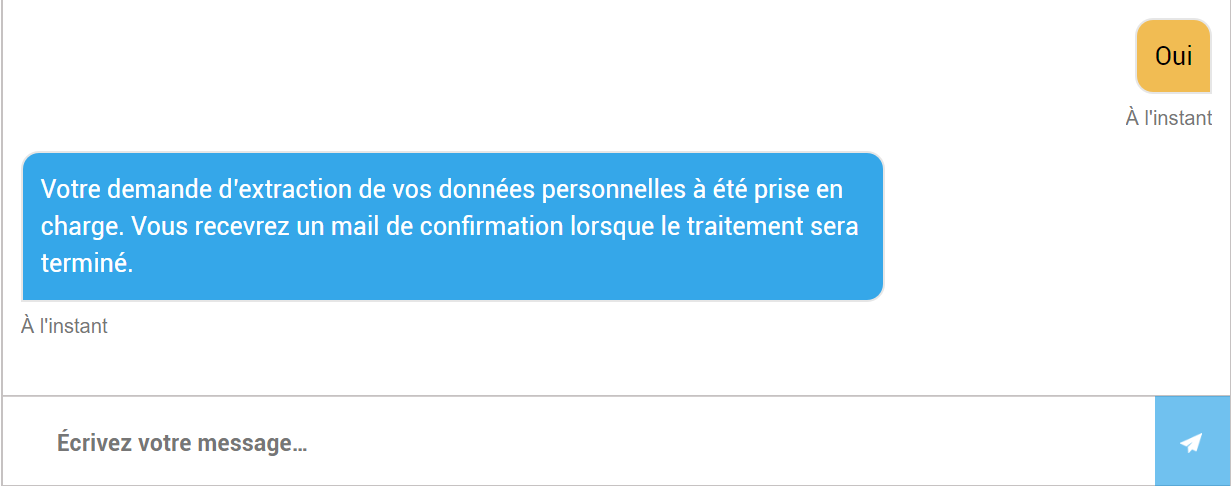
- If the user confirms with "Yes", the bot details the next steps:
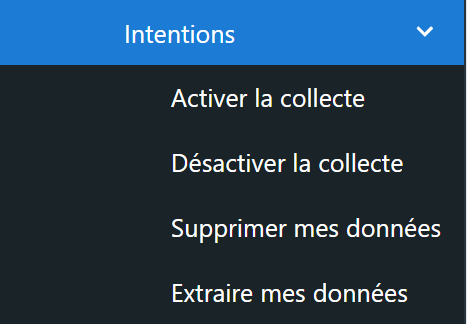
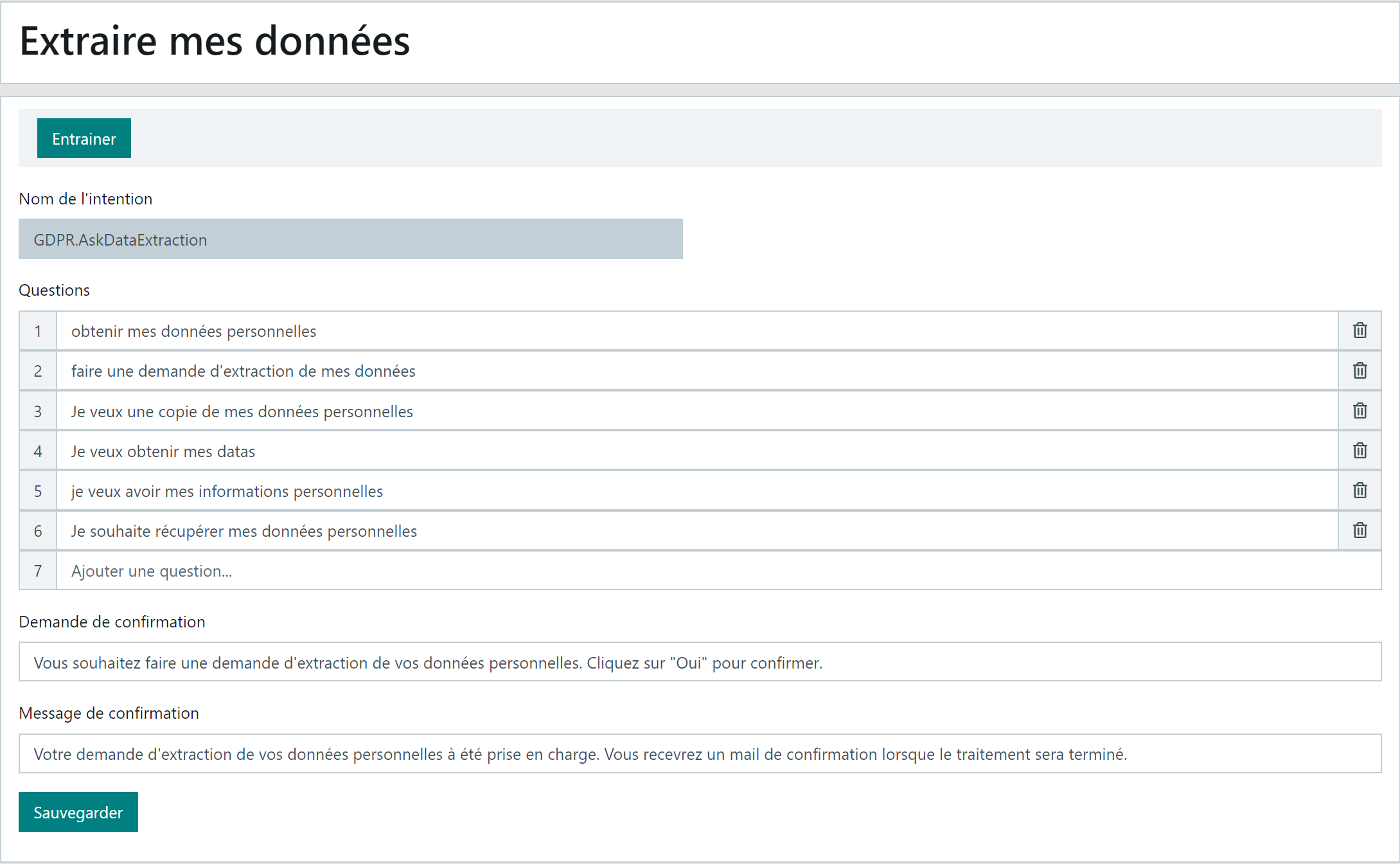
The digital assistant's training phrases for the intent "I want to retrieve my data" as well as the digital assistant's confirmation message are customisable in the "GDPR > Settings > Intents > Extract my data" function:
Example:
-
Add a question to the list or correct/delete an existing question.
-
Modify the confirmation request or confirmation message if needed.
-
Save the page.
-
Do not forget to Train to update the digital assistant.
Delete my data
At any point in a conversation, an authenticated user can request the deletion of their personal data via a message such as "I want to delete my personal data".
The following scenario takes place:
- The digital assistant asks the user for confirmation:
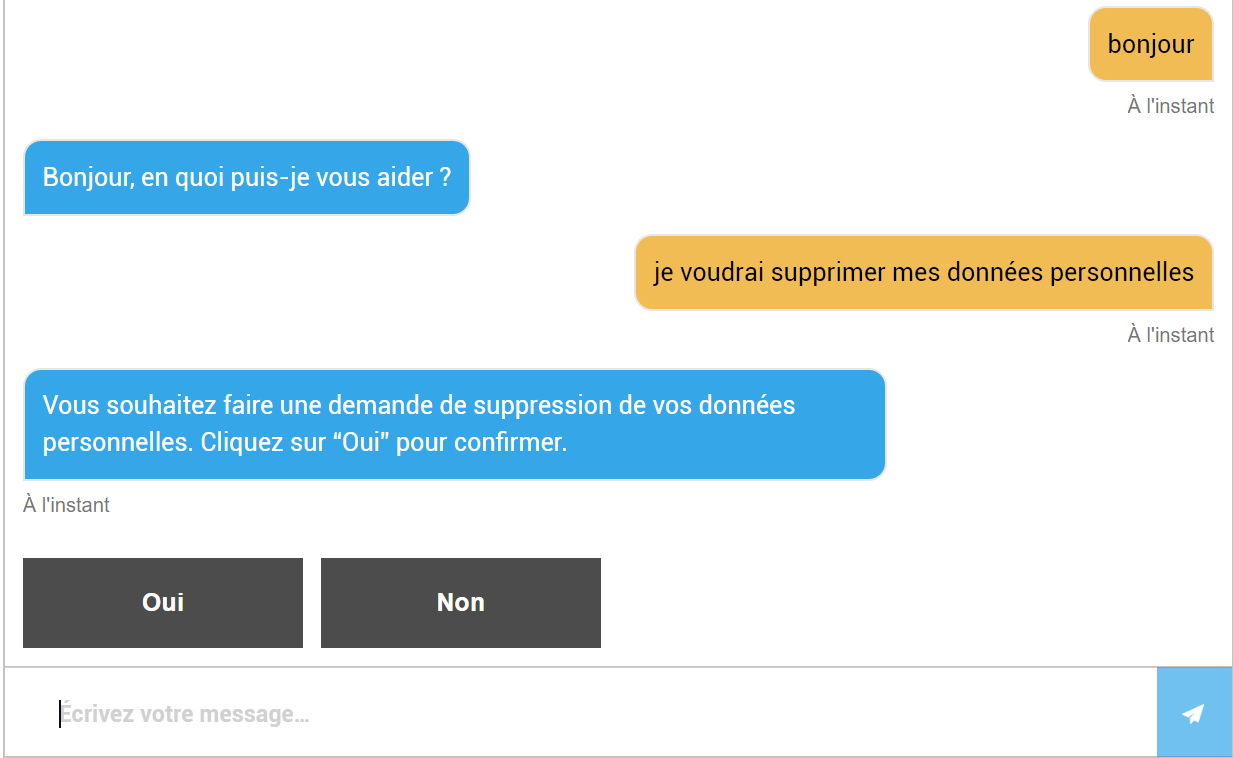
- If the user confirms with "Yes", the bot details the next steps:
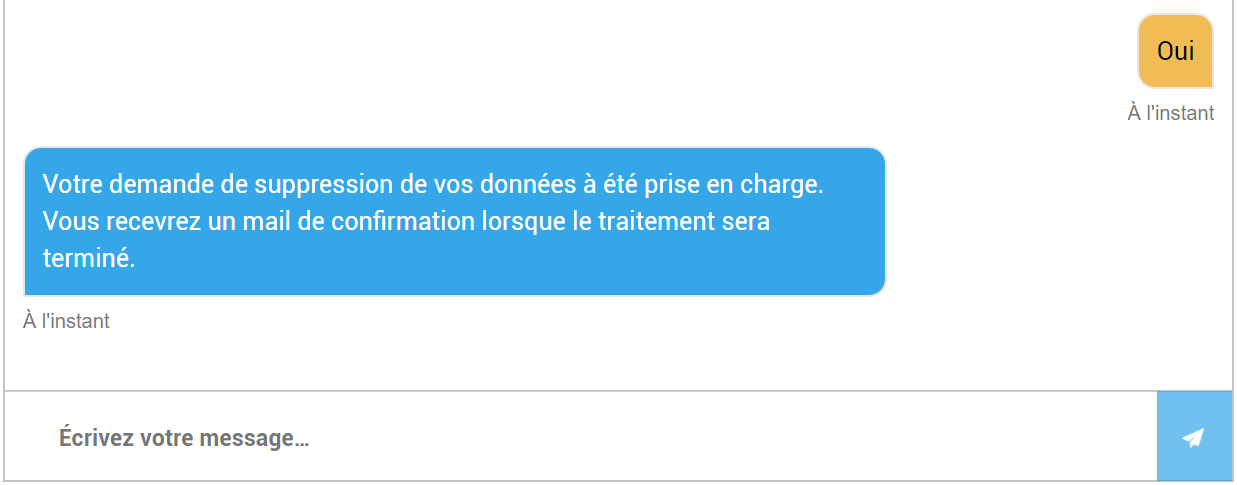
The digital assistant's training phrases for the intent "I want to delete my data" as well as the digital assistant's confirmation message are customisable in the "GDPR > Settings > Intents > Delete my data" function:
Example:

-
Add a question to the list or correct/delete an existing question.
-
Modify the confirmation request or confirmation message if needed.
-
Save the page.
-
Do not forget to Train to update the digital assistant.
Centralising user requests in the back-office
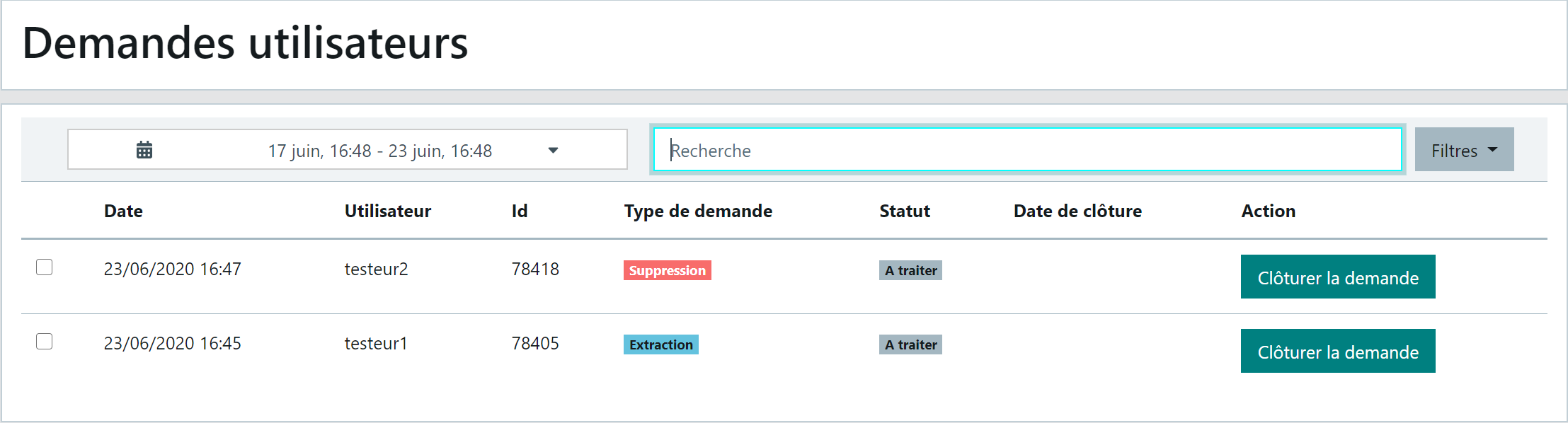
All requests made via the digital assistant by authenticated users are archived in the back-office in the "GDPR > User requests" function, under the type "Deletion" or "Extraction":
- Incoming requests have the "To be processed" status
- A search area (user identifier for example) and filters are available:
- Period, top left,
- then Status and Request type in the "Filters" button top right
Exporting a user's conversations
To export a user's conversations, go to the "History > Conversations" function then click the "Export" button:

- Tick the "Export all" checkbox: the "Period" and "Channel" filters are hidden

- Select the user
- If an OU hierarchy is in place in your organisation, first select the user's OU; otherwise, keep the "Global" OU.
-
Click "Export"
-
A file "Export_log + today's date" downloads to your default folder or the location specified during the download (depending on your browser options).
-
This file can be sent to the user by email via your messaging tool.
Deleting a user's conversations
This function is detailed in the section Section 4 - Data Purging
Closing a user request
After processing the user's request using the appropriate back-office functions and sending them the confirmation email for extraction (with file attached) or deletion, you can "Close the request".
It disappears from the "To be processed" request list. It remains archived in the back-office and can be consulted by applying the "Closed" status in the filters.
Remarks:
- Periodic purging only deletes the conversation history. A user request that falls within the period indicated by the purge will be retained.