The "Hospitality" skill
The "Hospitality" skill is dedicated to a digital employee whose role is to welcome visitors to a tourist area, a private estate, or any other organisation that receives visitors, offer them experiences, and help facilitate their discovery and answer all their questions.
This skill is based on content that typically comes from external data feeds imported into Retorik Studio on a defined schedule.
Through conversation or menus, your digital employee presents users with responses in the form of lists, recommendations, and content cards — offering a more structured display than a standard bot exchange, and enriching the conversation with visuals.
Content list
A content list displays items of a given content type in grid mode:
- On desktop:
- Grid of 5 × 3 content items.
- Scrolling down automatically loads the next 18 items.
- On widget or mobile:
- Grid of 2 × 6 content items.
- A [See more] button loads the next 12 items.
Each item is presented in a card highlighting:
- a photo,
- a "Staff pick" badge (optional) if you mark the item as a team favourite,
- a flag in the content type colour, indicating a public rating,
- the name of the content item.
Example of a restaurant list on Desktop:
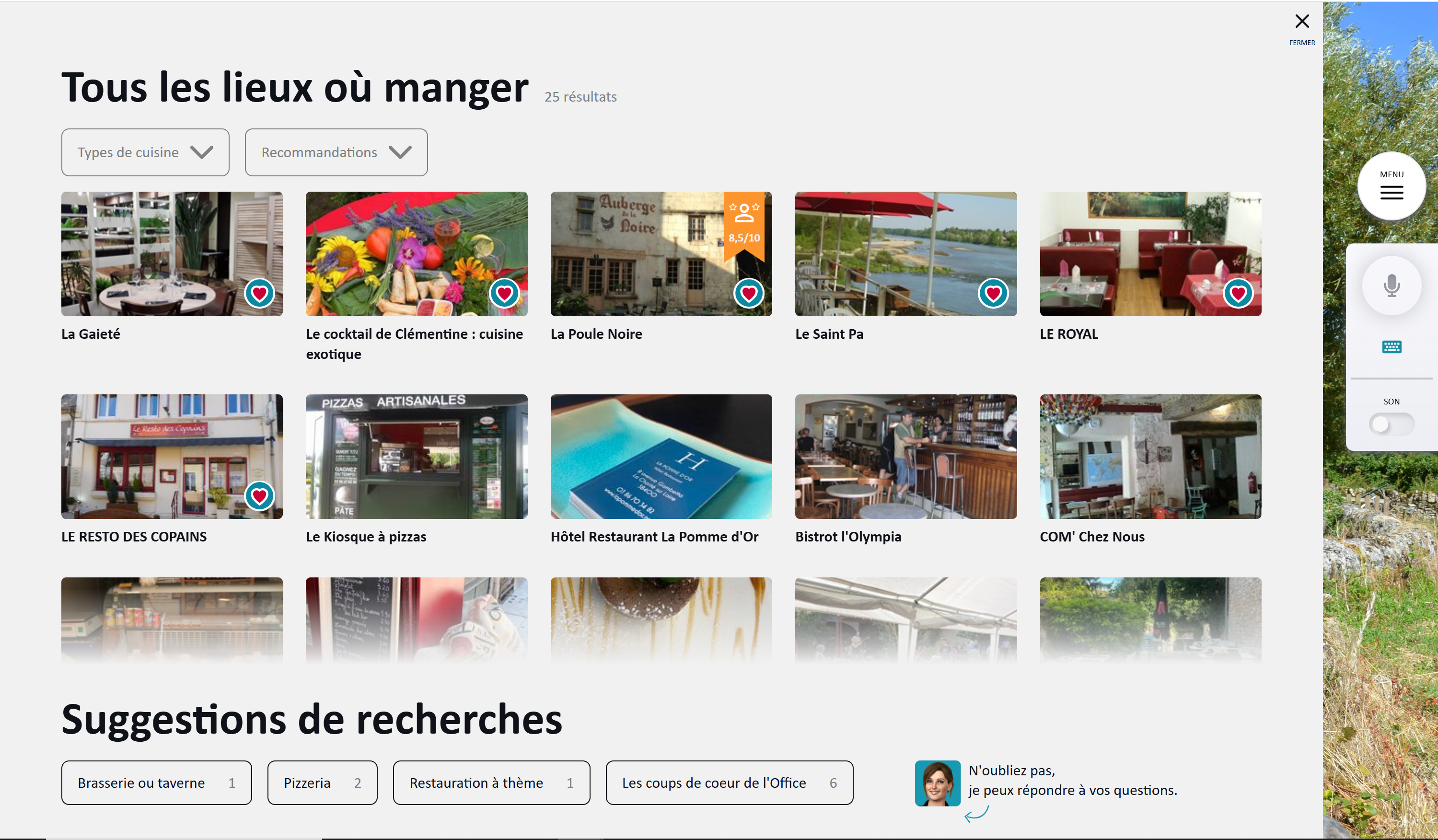
Available actions:
- Clicking on a card opens the content card.
- Filter areas are accessible at the top of the page, and at the bottom as search suggestions. These filters/suggestions can be customised in the back office. See the POI Filters section for creation steps.
A content list:
- can be offered on the welcome screen, following your digital employee's message, by defining a click-to-action.
- is displayed by clicking the link on the 4th card of a personalised recommendations carousel.
- can be embedded in the response to a generic question (via the "Knowledge base" feature) using a shortcode linked to the content type. Example shortcode:
[showAllItems title='See all pizzerias' picto='picto-restaurants.png' filterId='FoodEstablishment.TypesOfCuisine' filterValue='Pizzeria']
Content recommendations
A content recommendation randomly selects 3 items of a content type (activities, for example):
- Items are displayed as a media card carousel. When the cards appear, the digital employee tells the user what type of recommendations are shown. This text can be customised in the back office.
- Each card shows the content item (e.g. an activity) with its name, description, and a thumbnail photo.
- A [Learn more] button opens the content card.
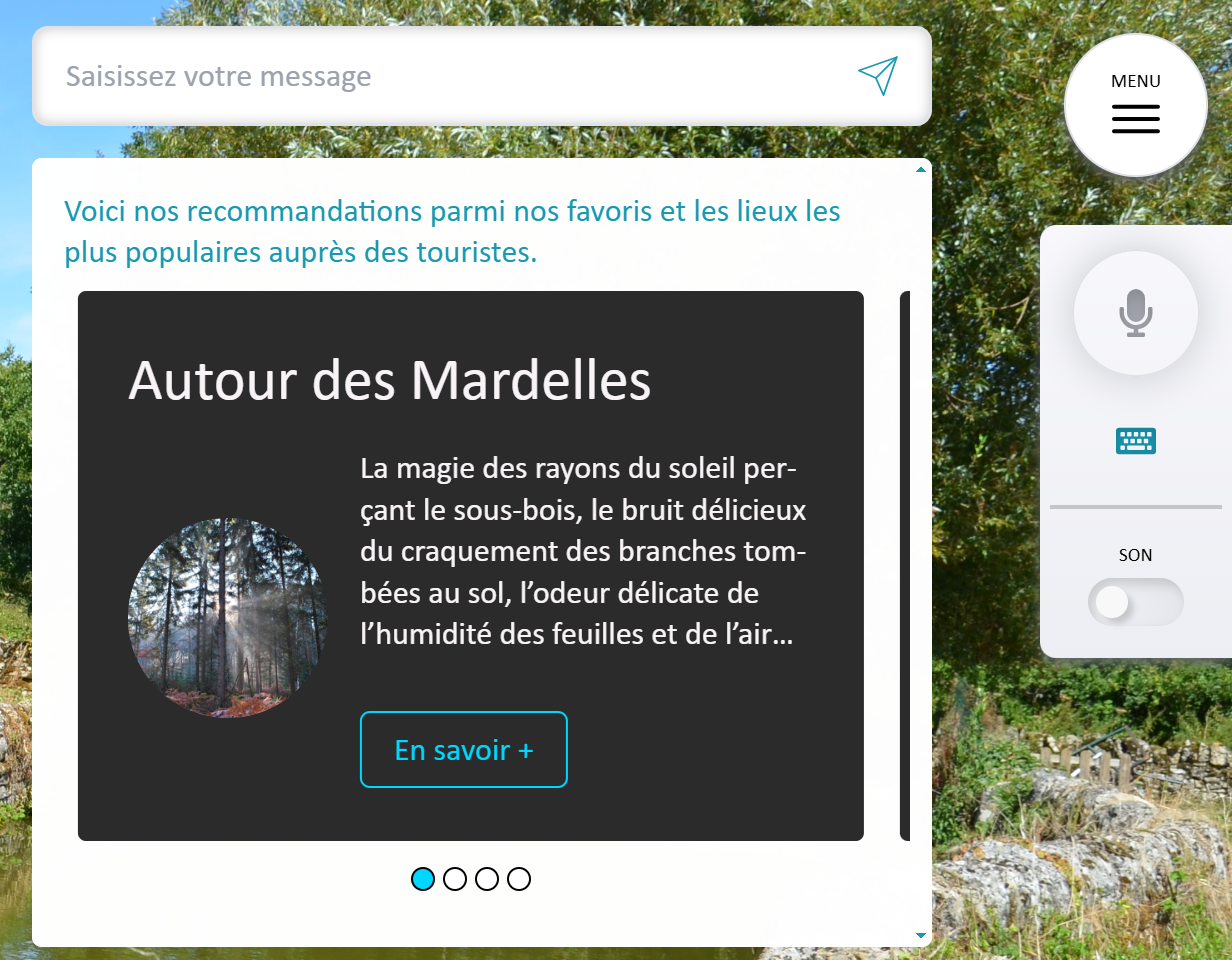
- The 3 items can be drawn from all items of a content type (all activities, for example) or from a more specific selection (all water activities, for example). To do this, create a content item filter first.
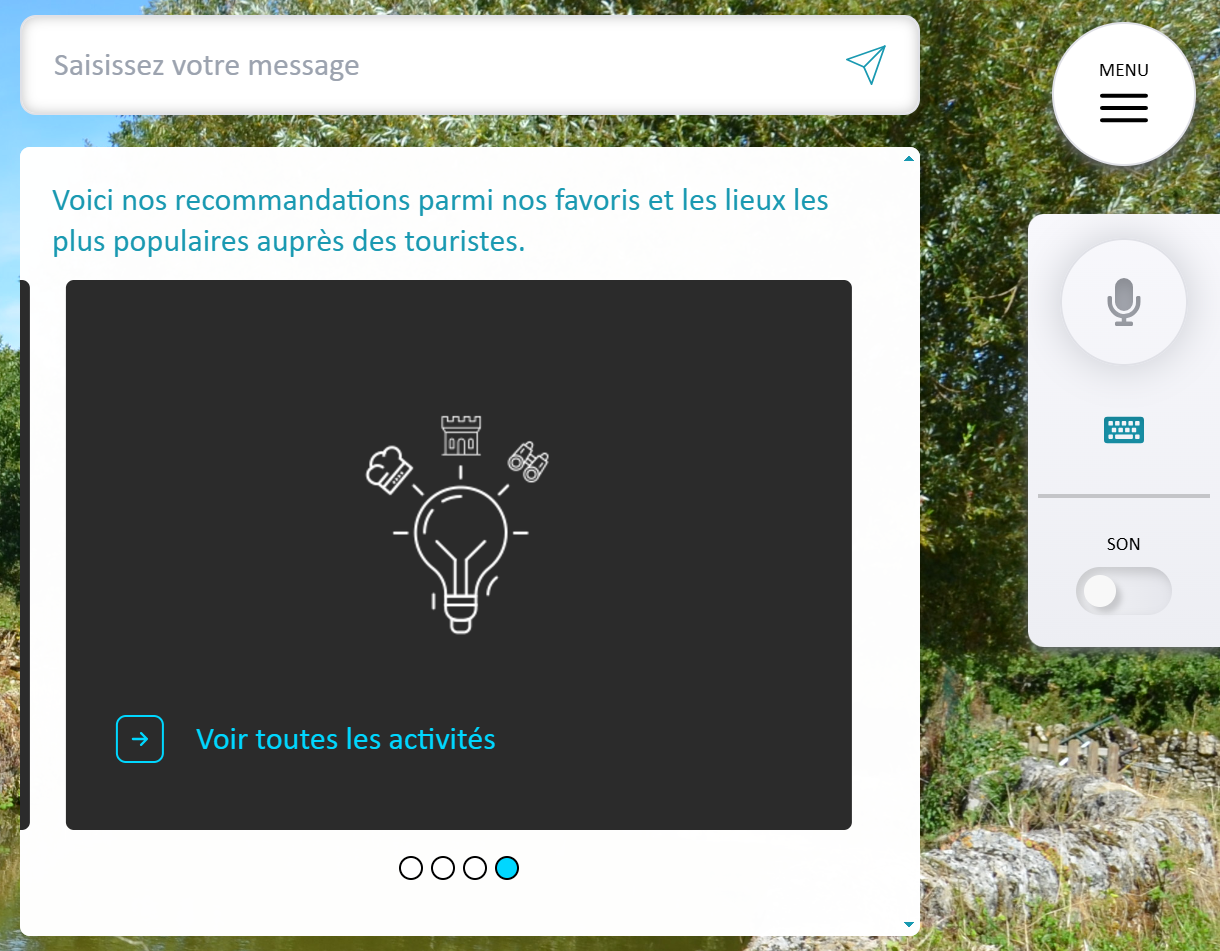
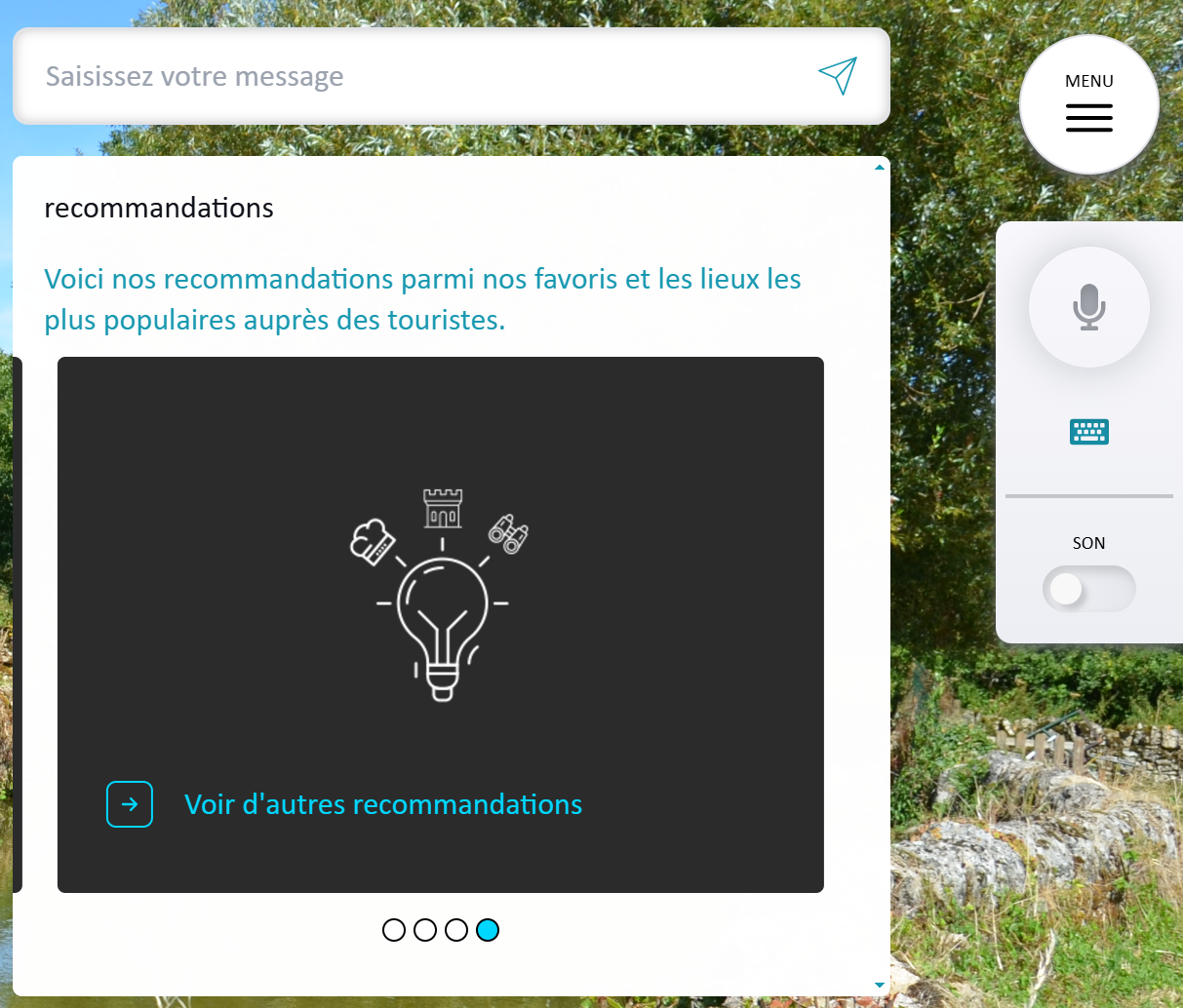
A 4th card is placed at the end of the carousel and offers the user a different action as a link, depending on whether it is:
-
a personalised recommendation: the action redirects to the full list of items of the content type, filtered or not.
Example in text mode on Desktop:
- This recommendation is built on simple filters, created via "Hospitality > Settings > List filters".
- See the POI Filters section for creation steps.
- A personalised recommendation is based on a single content type, unfiltered or filtered on a single field.
- The "See all activities" text can be customised in the filter.
- A personalised recommendation can only be used on the welcome screen: define it in a click-to-action based on the "A personalised recommendations carousel" information type.
-
or a random recommendation: the action proposes 3 new content items.
Example in text mode on Desktop:
- This recommendation is created via "Hospitality > Settings > Random recommendations".
- See the Create a random recommendation section for creation steps.
- Unlike personalised recommendations, a random recommendation lets you compose a selection across multiple content types, filtered or not.
- The "See other recommendations" text can be customised in the recommendation creation screen.
- A random recommendation can be used on the welcome screen by creating a click-to-action based on the "A random recommendations carousel" information type.
- If the Hospitality intent named "Recommendations" ("Hospitality.ShowRecommandation") is trained with questions, this random recommendation is presented as the response to the user.
Content card
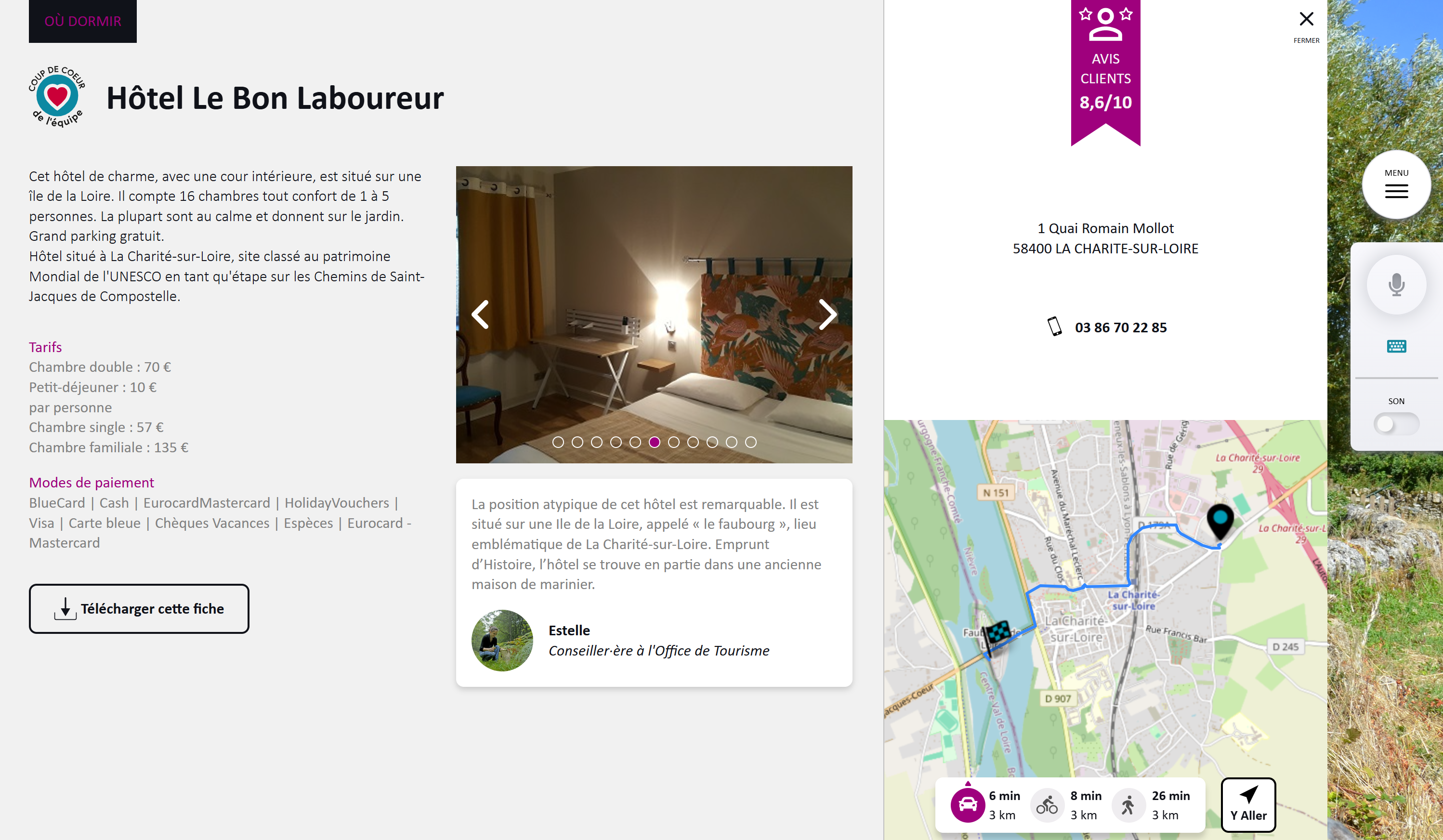
The content card details a content item. By default, it is divided into 2 sections:
- On the left: category, staff pick badge, name, description, image slideshow, and other fields specific to the content type (opening hours, prices, etc.)
- On the right: public rating, address, phone, email, and a map locating the point of interest relative to the user's geographical position. The map shows distance and directions for various transport modes, along with a [Get directions] button that redirects to Google Maps.
Example of a standard accommodation card on Desktop:
The content card appears when clicking the "Learn more" button in the following Hospitality features:
- Content list launched from the menu or conversationally via an intent,
- Content recommendations carousel launched from a welcome screen click-to-action or conversationally via a Hospitality intent,
- Geo-marker card on the interactive map.
It can also be displayed on demand:
- on the welcome screen using a click-to-action based on the "A content card" information type,
- in a knowledge base generic response using a shortcode structured as follows: %%POI_ID%%.
- ID is a variable corresponding to the identifier of the POI listed in the content items. See the "Identifier" field.